
Introduction
The Wordscope Public Prompt Libraries page collects libraries that authors chose to list for everyone: legal checks, medical abbreviations, generic QA, and other packs you can try on a real job instead of starting from a blank prompt.
You can open the catalogue from Wordscope (the Public Libraries tab), or in your browser on the public page. From there you browse, filter, open the list of prompts inside each library, and import the packs you need into your account.
The articles below follow that path. Start with how to open the catalogue, then how to browse it, then how to import.
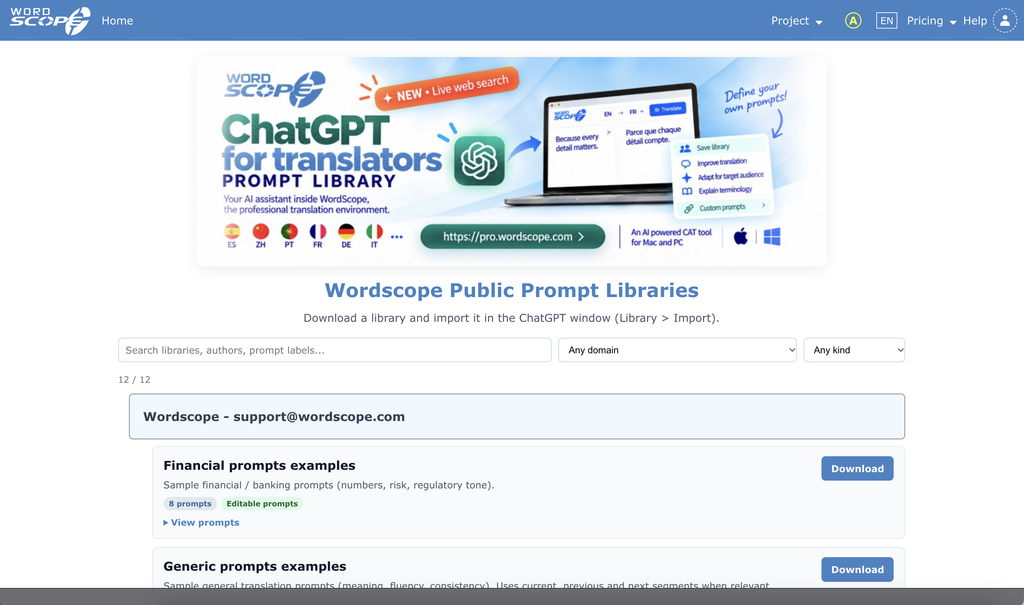
This section covers:
- Accessing the libraries from Wordscope – open the Public Libraries tab in the editor
- Accessing the libraries on the net – open the same catalogue in your browser
- Browse and filter – scroll, search, filter, and view prompts before you import
- Importing a public library – copy a public library into your Wordscope account
Wordscope is an all-in-one CAT tool, working seamlessly on both Mac and PC, that combines multiple machine translation engines, over a dozen specialized terminology tools, and the robust assistance of ChatGPT for Translators. It provides professional translators with advanced functionalities for translation, definition, rewriting, and much more.
Try now! Log in or sign up to receive a free trial subscription!
Visit pro.wordscope.comTrusted by thousands of professional translators in 40+ countries
Visit pro.wordscope.com to create a translation project.