
How to create a Translation Memory
A Translation Memory (TM) is one of the most valuable assets a professional translator can build. In Wordscope, creating your own TM allows you to store every approved translation segment and reuse it automatically in future projects. This not only saves time but also ensures consistency, quality, and productivity across all your work.
How to create a Translation Memory in Wordscope
Setting up a TM in Wordscope is quick and straightforward:
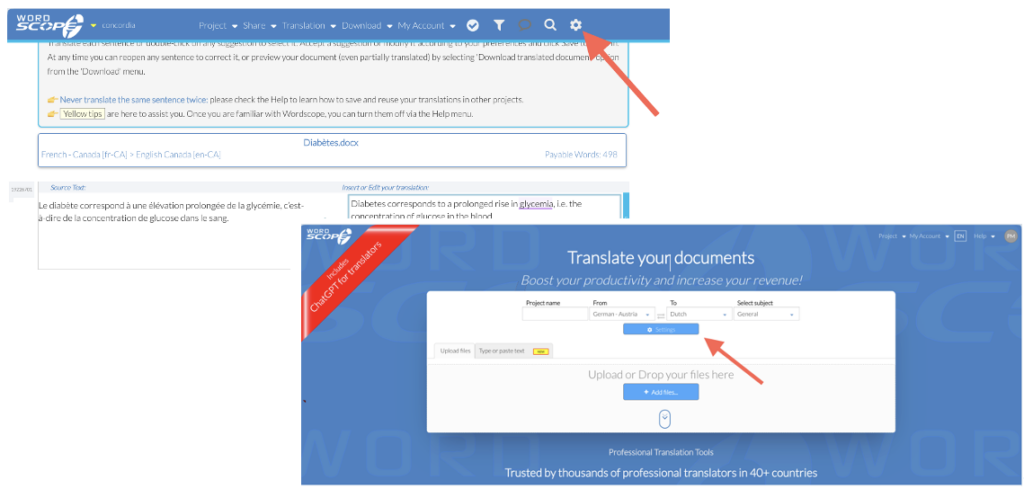
1️⃣ Open Settings
From the New Project page, click the Settings button, or click the Settings icon at any time during a project.
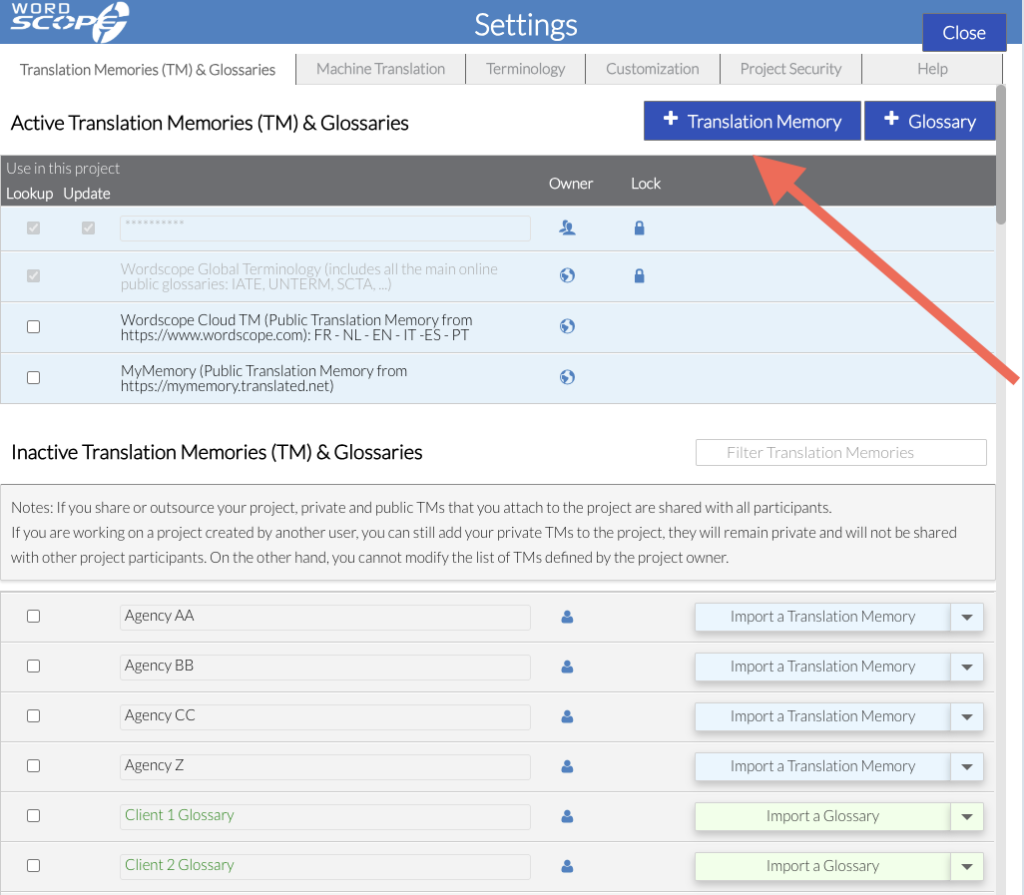
2️⃣ Click + Translation Memory
3️⃣ Enter a name for your Translation Memory
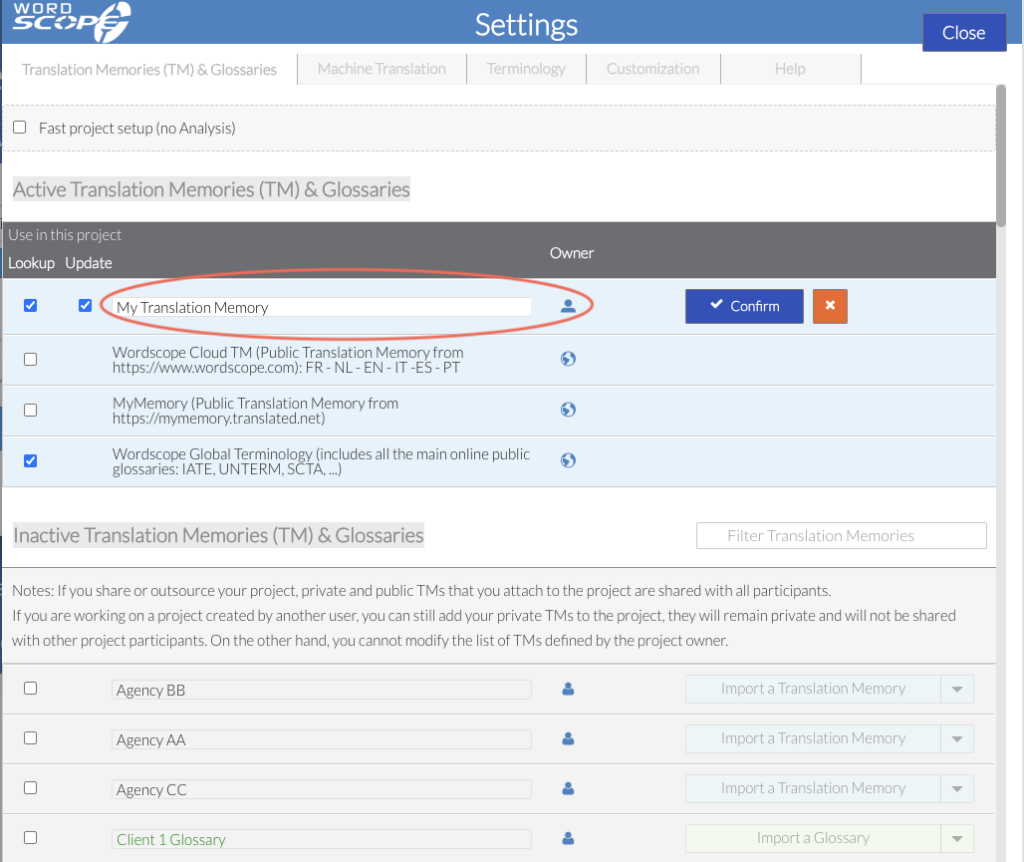
4️⃣ Click Confirm
Your Translation Memory now appears in the Active Translation Memories and Glossaries section, which means it is active for the current project.
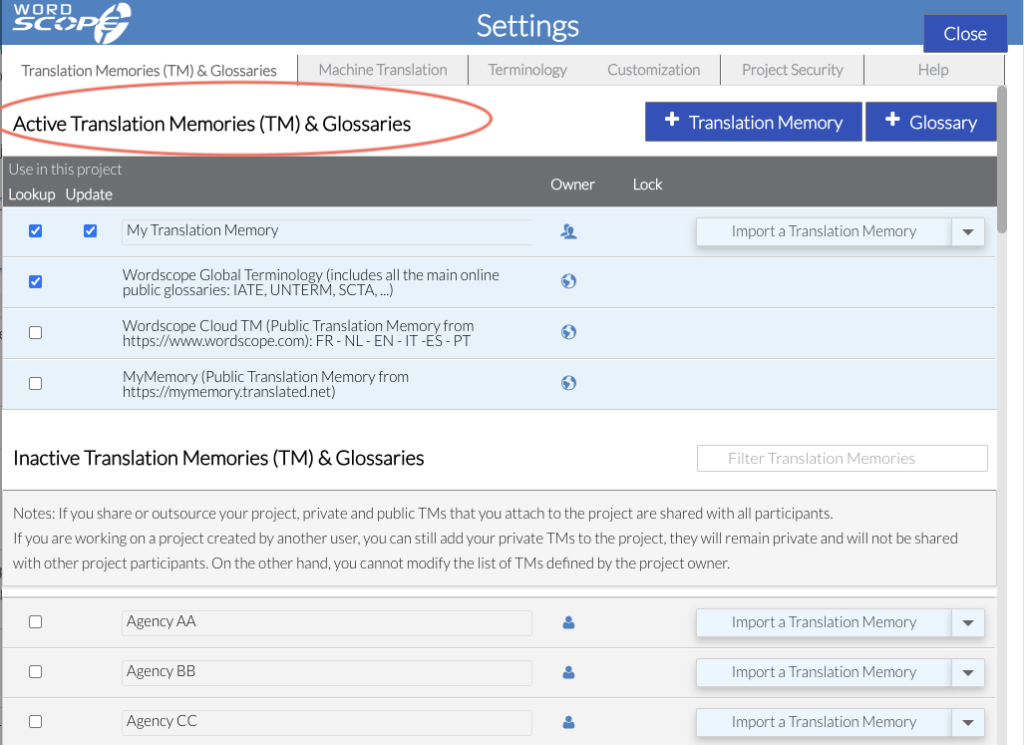
Activating or Deactivating Translation Memories
Deactivate a Translation Memory for the Current Project
If a Translation Memory is listed in the Active Translation Memories and Glossaries section and you do not want to use it for the current project, simply uncheck the Lookup and Update checkboxes.
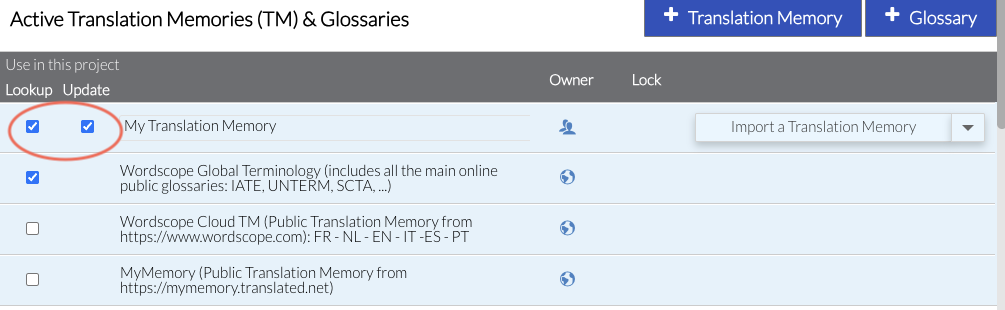
The Translation Memory will then be moved to the Inactive Translation Memories and Glossaries section.
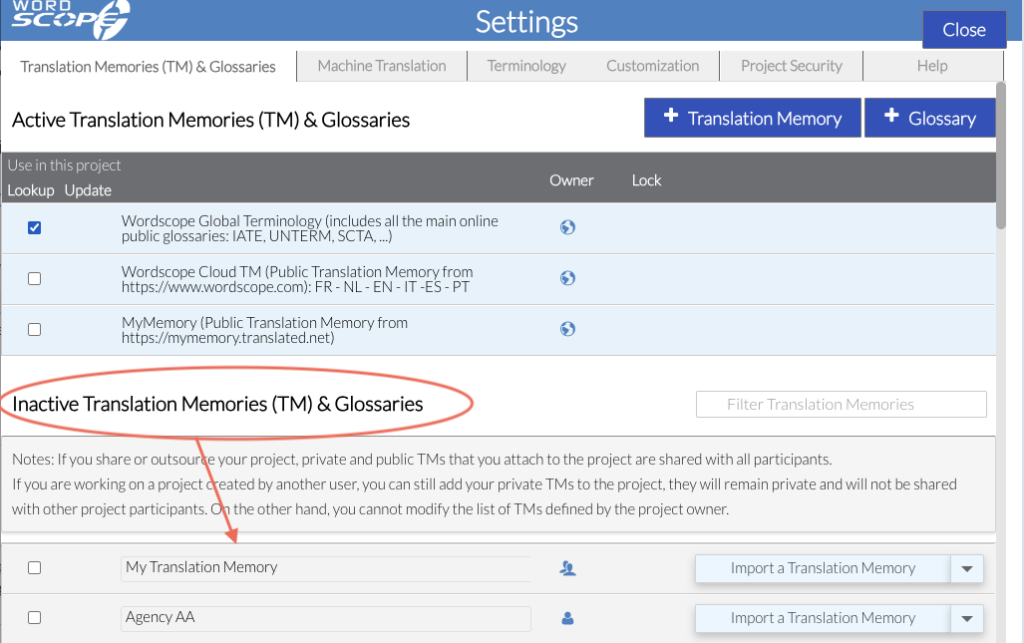
Activate a Translation Memory for the Current Project
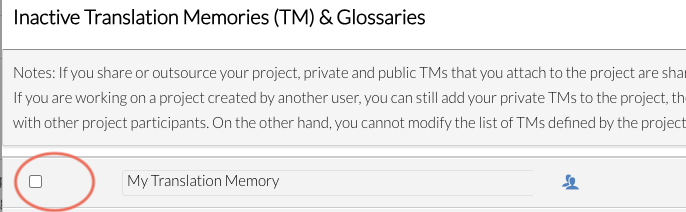
If a Translation Memory appears in the Inactive section, select the checkbox next to it to activate it for the current project. It will then be moved to the Active section.
Best practices
To maximize the benefits of your TM:
- Create separate TMs for different clients or domains
- Keep entries clean and validated
- Combine TMs with glossaries for terminology control
- Reuse high-quality TMs across similar projects
Wordscope is an all-in-one CAT tool, working seamlessly on both Mac and PC, that combines multiple machine translation engines, over a dozen specialized terminology tools, and the robust assistance of ChatGPT for Translators. It provides professional translators with advanced functionalities for translation, definition, rewriting, and much more.
Try now! Log in or sign up to receive a free trial subscription!
Visit pro.wordscope.comTrusted by thousands of professional translators in 40+ countries
Visit pro.wordscope.com to create a translation project.