
Import a public library
To import a public library (a library shared by another user on the Wordscope Public Prompt Libraries page), you have two options:
- Importing a public library from the Public Libraries tab
- Importing a public library from the Wordscope Public Prompt Libraries page
Both methods copy the prompts into your Wordscope account. After import, tick Action only on the prompts you want as ChatGPT buttons, then click Save.
Importing a public library from the Public Libraries tab
Use this when you are already in a project and you want to add a pack without leaving the editor. The Public Libraries tab shows the same catalogue as the public page: you can search, filter, view prompts, and import in one place.
To import from the Public Libraries tab:
1️⃣ Open a project.
2️⃣ Click the ChatGPT button.
3️⃣ Click the Libraries button.
4️⃣ Open the Public Libraries tab.
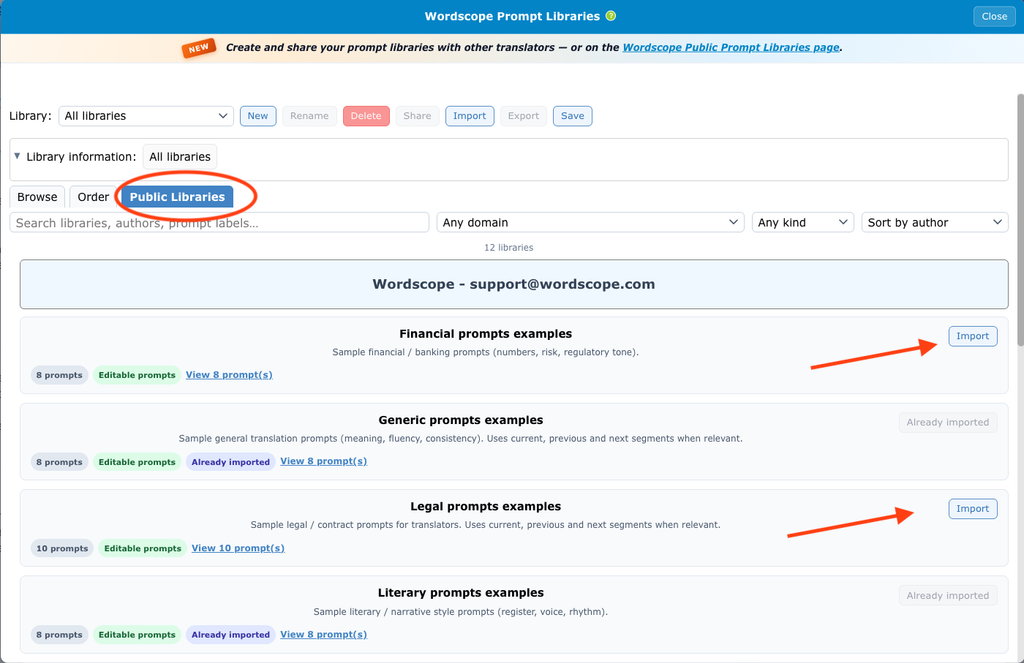
5️⃣ Find the library you want (search or filter by Domain and Kind if needed).
6️⃣ Optional: click View prompts, and tick Show details... if you want to read the full prompt text before importing.
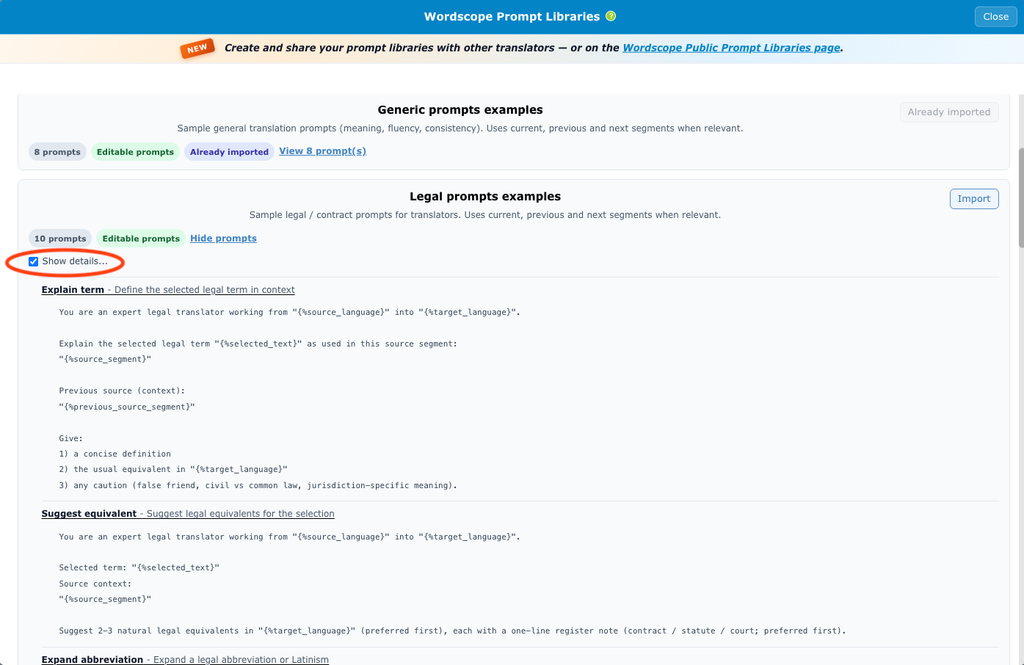
7️⃣ Click Import.
8️⃣ Tick Action on the prompts you need.
9️⃣ Click Save.
Tip: libraries you already imported show an Already imported badge. You do not need to import them again unless you deleted that library and want it back.
Importing a public library from the Wordscope Public Prompt Libraries page
Use this when you browse the catalogue in your browser first, for example before opening a project, or when you want a downloadable .wpl file as a backup. You download the library on the public page, then import the file in Wordscope.
To import from the Wordscope Public Prompt Libraries page
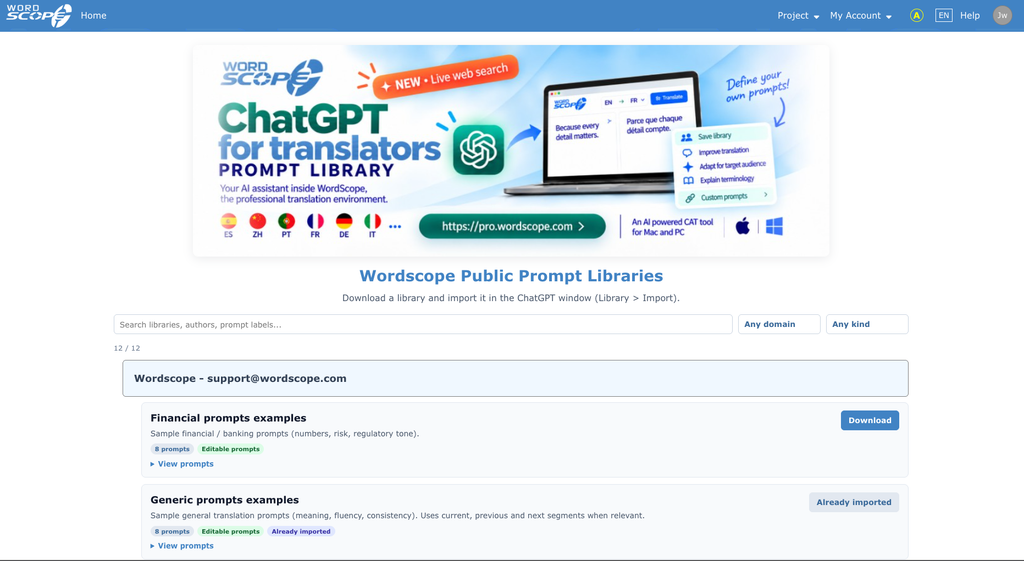
1️⃣ Open https://pro.wordscope.com/prompt-library in your browser.
2️⃣ Find the library you want.
3️⃣ Optional: click View prompts, and tick Show details... if you want to read the full prompt text before downloading.
4️⃣ Click Download.
Then see the article Import a library to import the downloaded file.
Tip: after import, try one or two buttons on a real segment before you activate a whole pack. That avoids filling the ChatGPT bar with buttons you never use.
Wordscope is an all-in-one CAT tool, working seamlessly on both Mac and PC, that combines multiple machine translation engines, over a dozen specialized terminology tools, and the robust assistance of ChatGPT for Translators. It provides professional translators with advanced functionalities for translation, definition, rewriting, and much more.
Try now! Log in or sign up to receive a free trial subscription!
Visit pro.wordscope.comTrusted by thousands of professional translators in 40+ countries
Visit pro.wordscope.com to create a translation project.