
Prompt Libraries – Introduction
Depending on the kind of jobs you are doing, you may want to create some specific Actions to ask ChatGPT for assistance. You write the instruction once, turn it into a button, and reuse it on every segment where you need it.
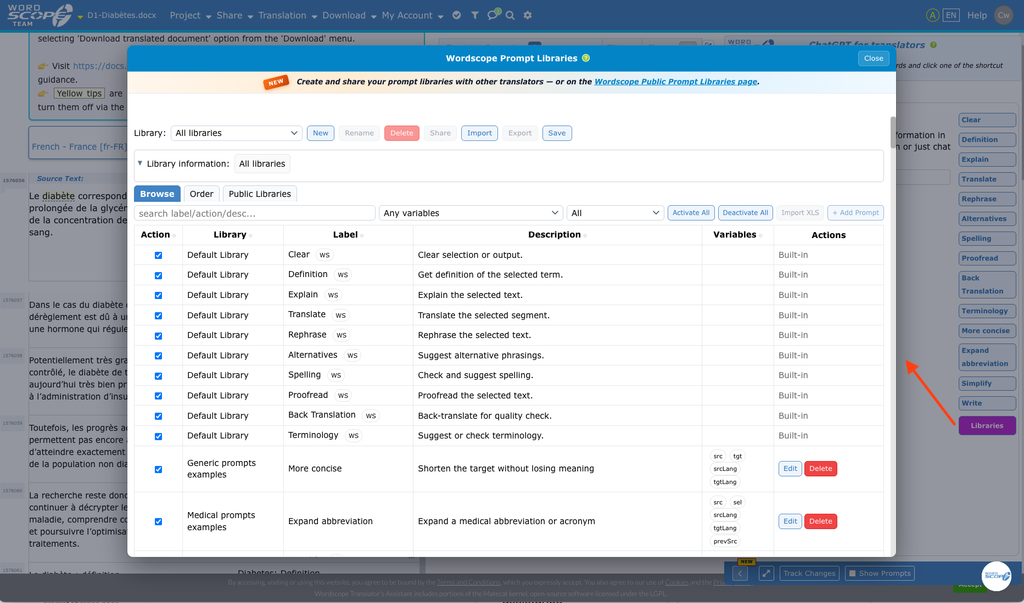
Here are a few examples:
- You translate EU legal text that refers to a Directive or a Regulation you want to check online. Instead of leaving the editor to search on Google, create a prompt for that check (tick Use Live web search on that prompt). Each time you need it: select the reference in the segment, click the action button, and read the answer in ChatGPT.
- You translate medical texts full of abbreviations (INN, study names, hospital acronyms). Create an action such as Expand abbreviation. Select the abbreviation, click the button, and get the full form in context, without retyping the question.
- You work for a client who always wants a more concise, or more formal, target. Create an action such as More concise or Match register. Click it on the current segment when the first translation is accurate but not yet in the client’s voice.
With Wordscope Prompt Libraries, you will experience AI assistance like nowhere else: you can customise ChatGPT action buttons, write your own prompts, organise them in libraries, import prompts from Excel, and share a library with a friend, on social networks, or on the Wordscope Public Prompt Libraries page.
Where to start:
1️⃣ Open a project.
2️⃣ Click the ChatGPT button.
3️⃣ Click the Libraries button at the end of the action-button row.
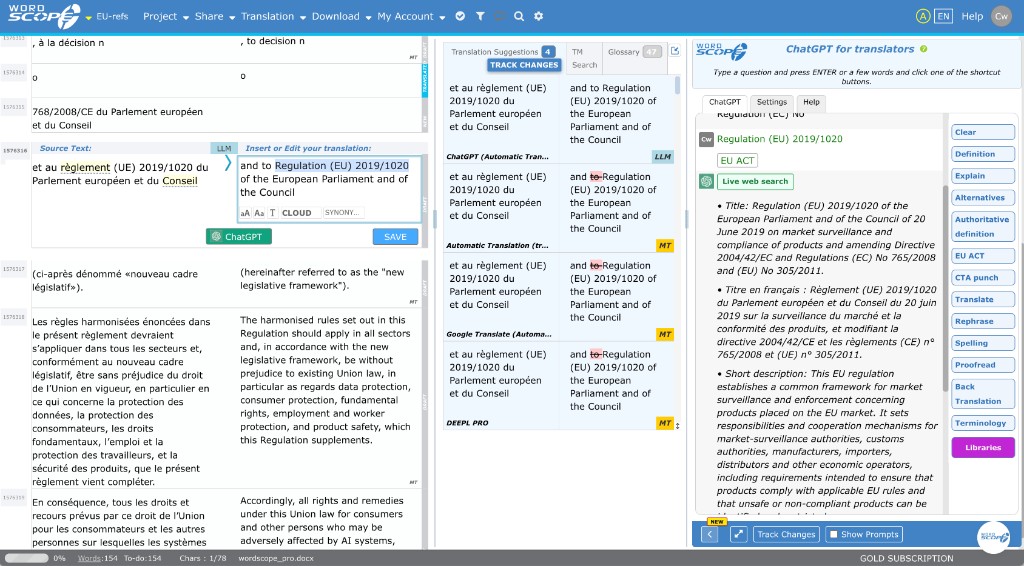
Always click Save on the Libraries toolbar after important changes. That stores your libraries on the server.
This section covers:
- Prompts and Action buttons: what is a prompt, action buttons, customize, order buttons
- Libraries: create a library, create a prompt, rename a library, delete a library
- Share and import libraries (share, import)
- Wordscope public prompt libraries (introduction, access, browse, importing)
Wordscope is an all-in-one CAT tool, working seamlessly on both Mac and PC, that combines multiple machine translation engines, over a dozen specialized terminology tools, and the robust assistance of ChatGPT for Translators. It provides professional translators with advanced functionalities for translation, definition, rewriting, and much more.
Try now! Log in or sign up to receive a free trial subscription!
Visit pro.wordscope.comTrusted by thousands of professional translators in 40+ countries
Visit pro.wordscope.com to create a translation project.