
Create a library
A library is a folder of prompts you reuse on similar work. One library per client is common. You can also keep one for EU legal texts, one for medical, one for a house style, etc.
That way the ChatGPT bar stays relevant: you open the legal library on a directive, and the medical library on a SPC, instead of mixing every prompt you ever wrote into one list.
A library can include prompts you created, prompts imported from Excel, and prompts you received from a colleague or from Wordscope Public Prompt Libraries page. Fill in Domain and Kind if you plan to share it later.
To create a library:
1️⃣ Open a project.
2️⃣ Click the ChatGPT button.
3️⃣ Click the Libraries button.
4️⃣ Click New (next to the Library list).
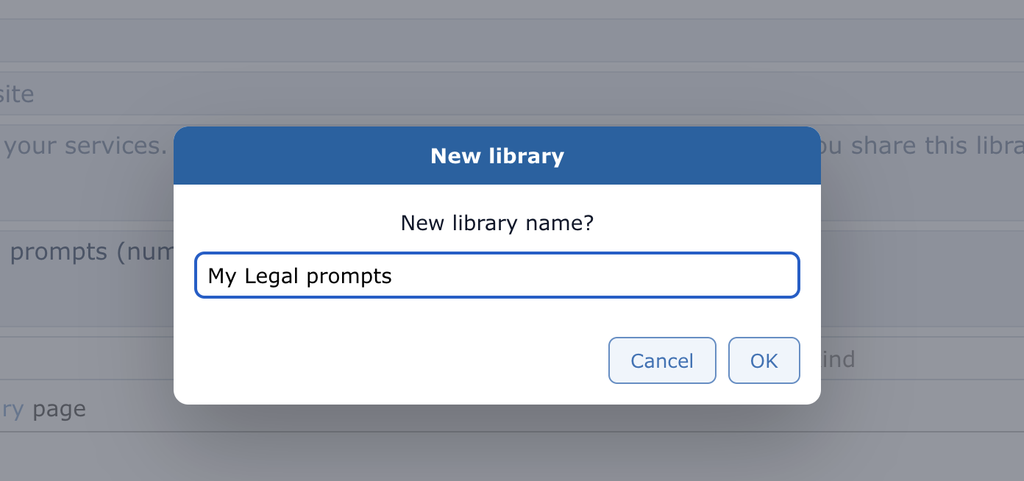
5️⃣ Type a clear name (example: My Legal prompts) and click OK.
6️⃣ Open Library information and fill in what you can:
- Author – your name
- LinkedIn – your LinkedIn page or website (optional)
- About me – a short presentation (visible when you share or publish)
- Description – what this library is for
- Domain – subject (Legal, Medical, Marketing…)
- Kind – type of prompts (Grammar, Terminology, Style, QA…)
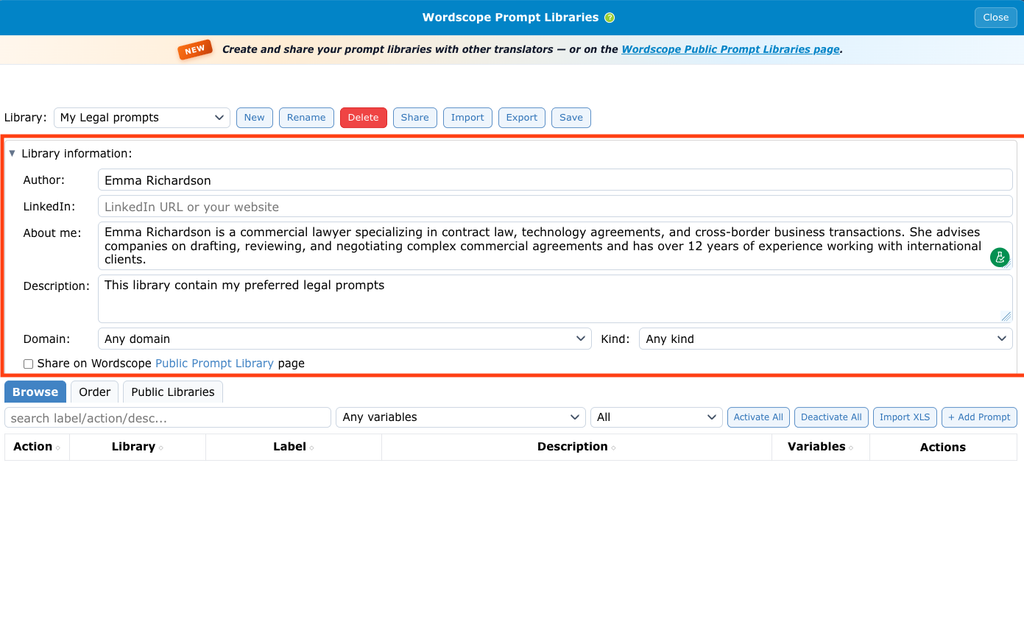
7️⃣ Click Save at the top of the Libraries window.
To share your library on the Wordscope Public Prompt Libraries page, tick Share on Wordscope Public Prompt Libraries.
If you previously shared your library but have changed your mind, untick this option.
👉 Domain and Kind help other people find your library on Wordscope Public Prompt Libraries page. Fill them in if you plan to share publicly.
👉 You can also Export a library as a .wpl file as a backup. To change the name, see Rename library. To remove a library, see Delete a library.
👉 Wordscope also includes sample prompt libraries (Generic, Medical, Legal, Patents, Technical / IT, Marketing, Financial, Literary, and Web Search packs). You can use them, edit them, or copy ideas into your own library.
Wordscope is an all-in-one CAT tool, working seamlessly on both Mac and PC, that combines multiple machine translation engines, over a dozen specialized terminology tools, and the robust assistance of ChatGPT for Translators. It provides professional translators with advanced functionalities for translation, definition, rewriting, and much more.
Try now! Log in or sign up to receive a free trial subscription!
Visit pro.wordscope.comTrusted by thousands of professional translators in 40+ countries
Visit pro.wordscope.com to create a translation project.