
Working Group Collaboration
Wordscope’s internal messaging system allows project participants (working group members) to stay connected and collaborate effectively by attaching sticky notes to segments. These sticky notes can include messages directed at specific working group members if you need assistance, ask for clarification, or maintain consistency across translations during a project.
Here’s how you can use this feature to assign tasks or send messages:
Steps to Send a Message to a Working Group Member
1️⃣ Move the mouse to the right of the segment until you see a small comment icon. Click the + Icon to open the sticky note window.

2️⃣ Type your message and, if you’d like to assign it to a specific working group member (e.g., Clementine), press the @ key. A list of working group members will appear, and you can select Clémentine from the list.
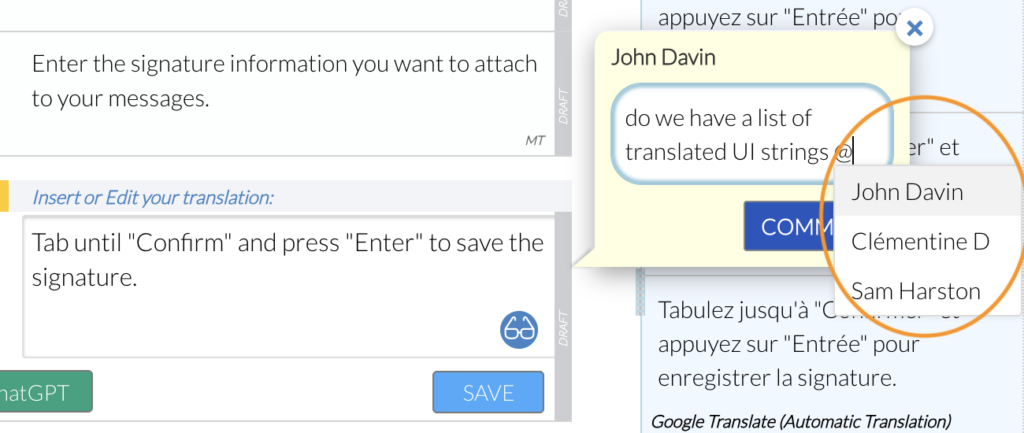
3️⃣ Once you’ve finished typing your message and have selected the right person, click Comment to send the message. The sticky note will now be attached to the segment.
Receiving a message
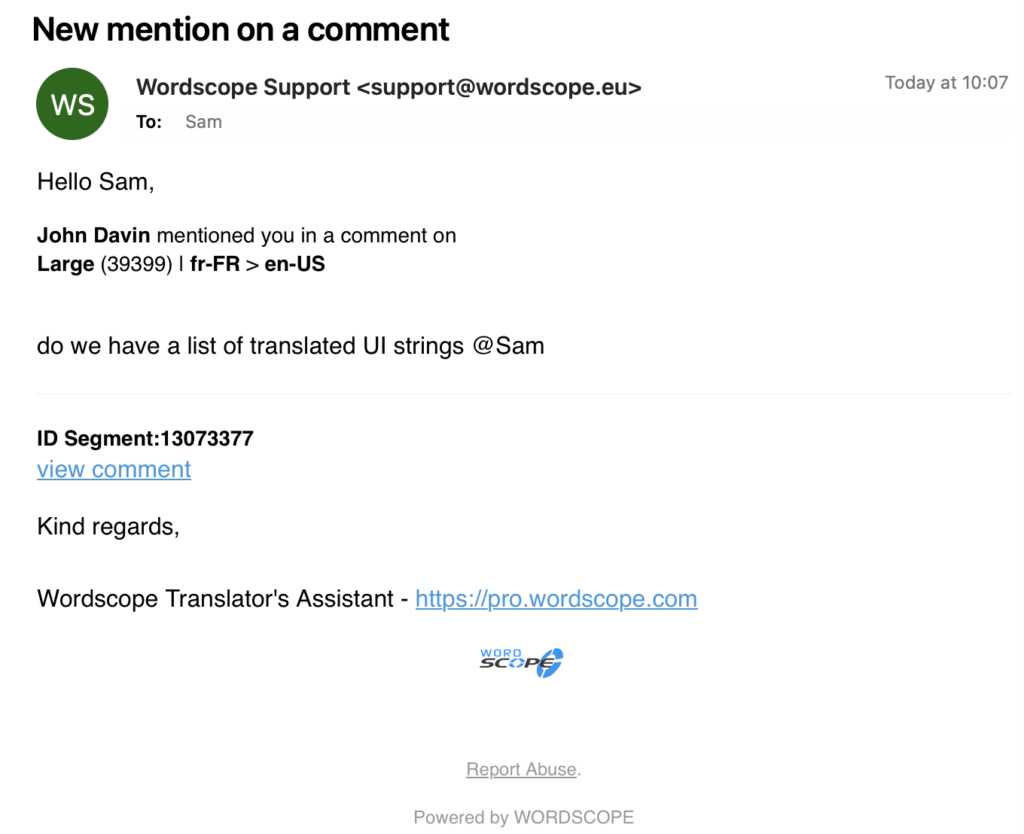
The assigned working group member will receive a notification that their attention is needed. If they are logged into Wordscope, a pop-up notification will appear. If they are offline, they will receive an email with a link that directs them to the segment containing the message. From there, they can respond or add their comments.
Accessing All Sticky Notes
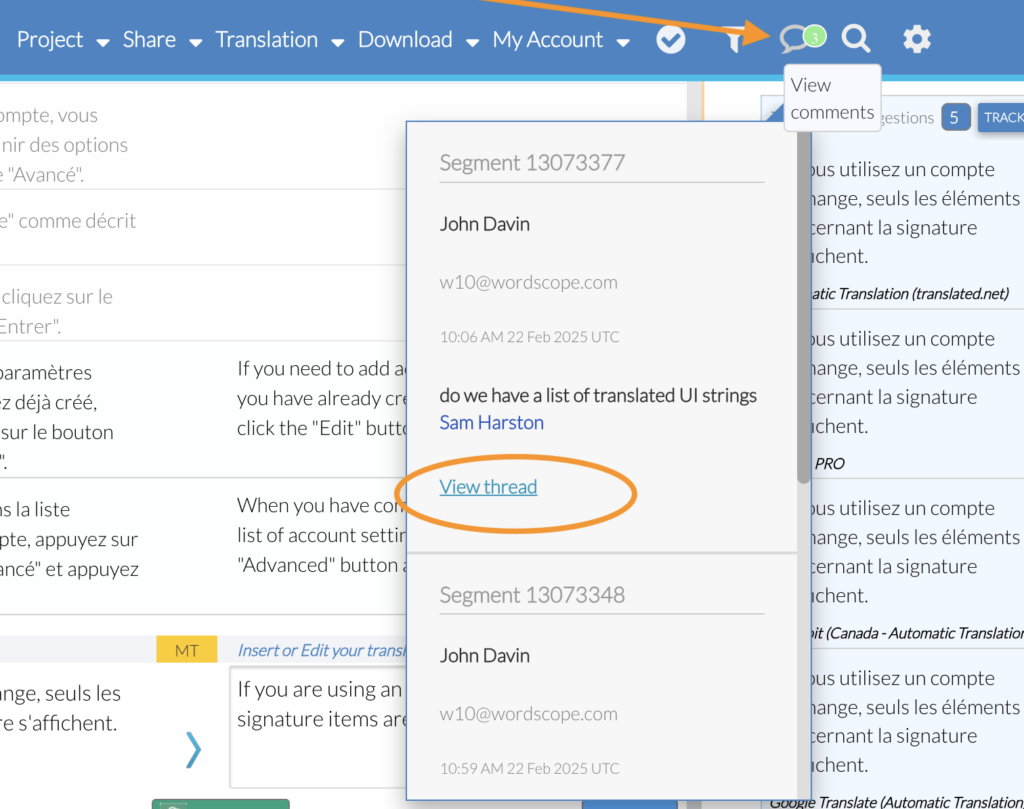
At the top of the screen, you’ll find an icon that allows you to view or access all the comments in the current project. This makes it easy to track all communication, follow up on tasks, and keep everything organized in one place.
By using the internal messaging system and tagging working group members, you can streamline communication and ensure smoother collaboration throughout the translation process.
Wordscope is an all-in-one CAT tool, working seamlessly on both Mac and PC, that combines multiple machine translation engines, over a dozen specialized terminology tools, and the robust assistance of ChatGPT for Translators. It provides professional translators with advanced functionalities for translation, definition, rewriting, and much more.
Try now! Log in or sign up to receive a free trial subscription!
Visit pro.wordscope.comTrusted by thousands of professional translators in 40+ countries
Visit pro.wordscope.com to create a translation project.