
For Students
As a student in a translation program, you may use Wordscope Campus free of charge when:
- Your professor has applied and been approved for the Academic Program, and
- Your email address appears on their class roster, or
- You are still within a 15-day student trial while waiting for your class to be enrolled.
You will have access to the same professional tool as your professor, with usage limits suited to coursework.
Path A — Your professor has enrolled the program (recommended)
When your university is already part of the Academic Program, please follow these steps:
1️⃣ Please wait to receive the invitation sent by your professor (you will receive an email from Wordscope / Campus).
2️⃣ When the email arrives, please follow the link provided, or go to https://campus.wordscope.com.
3️⃣ Sign Up using the same email address your professor added to the roster (this is important).
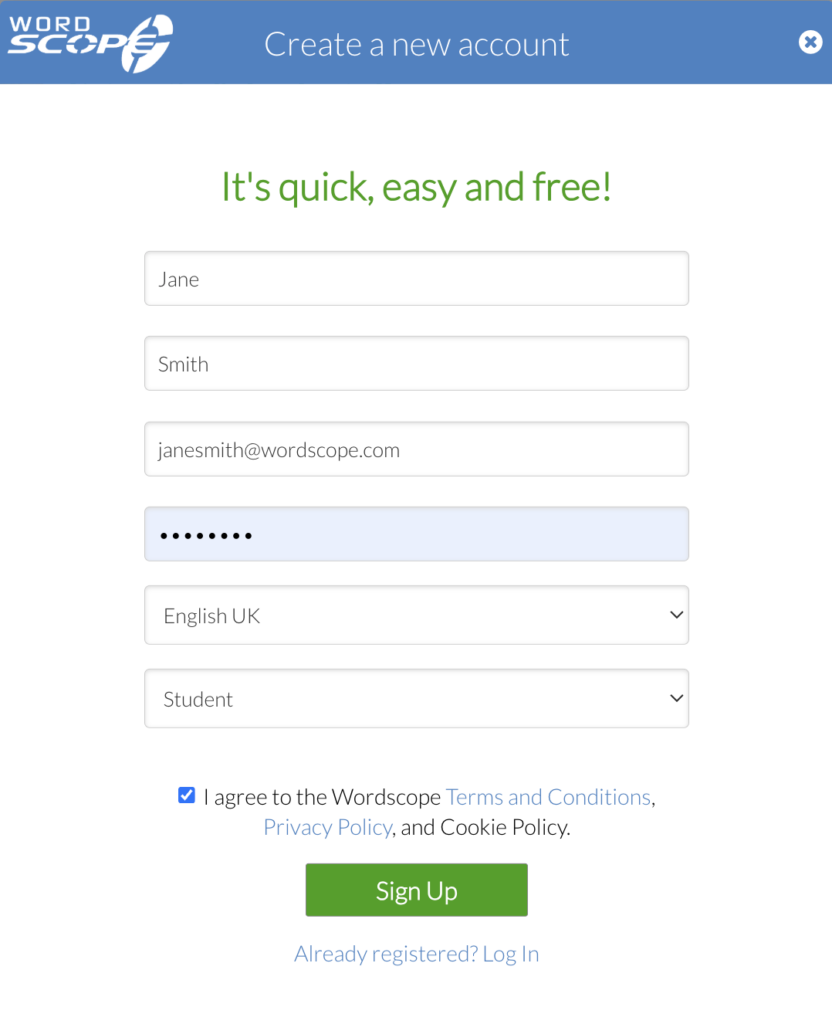
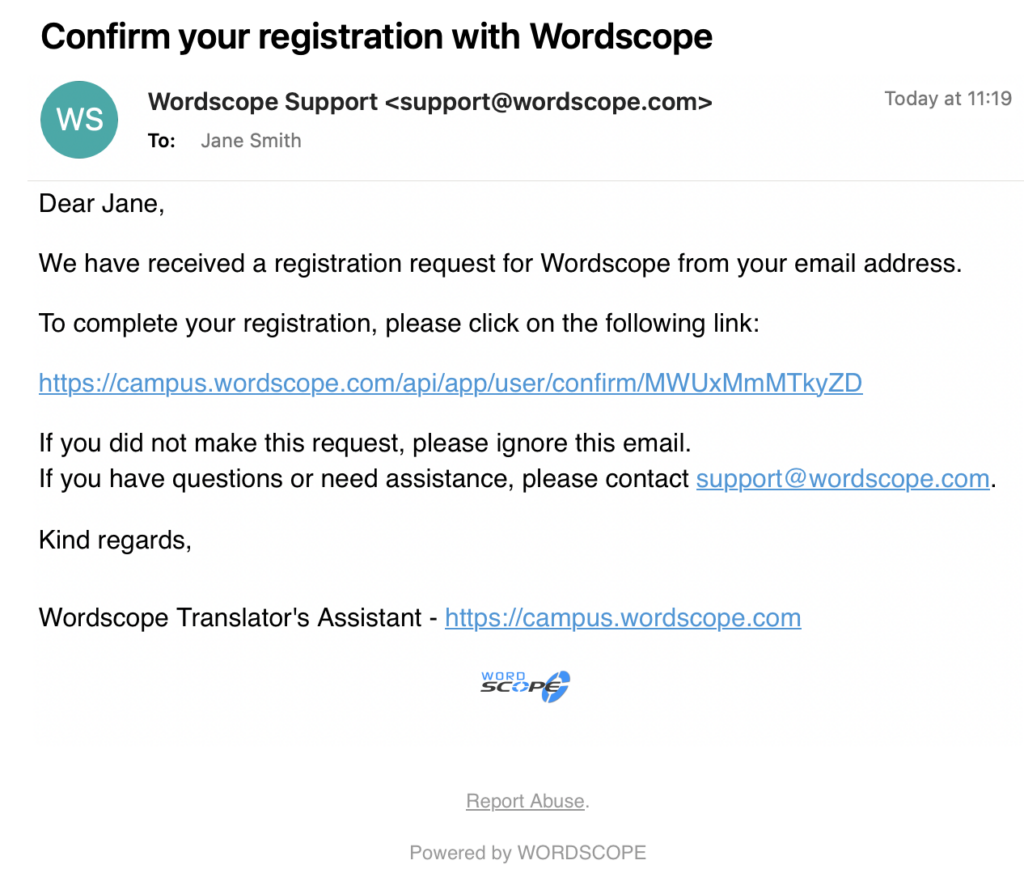
4️⃣ You will receive a confirmation email.
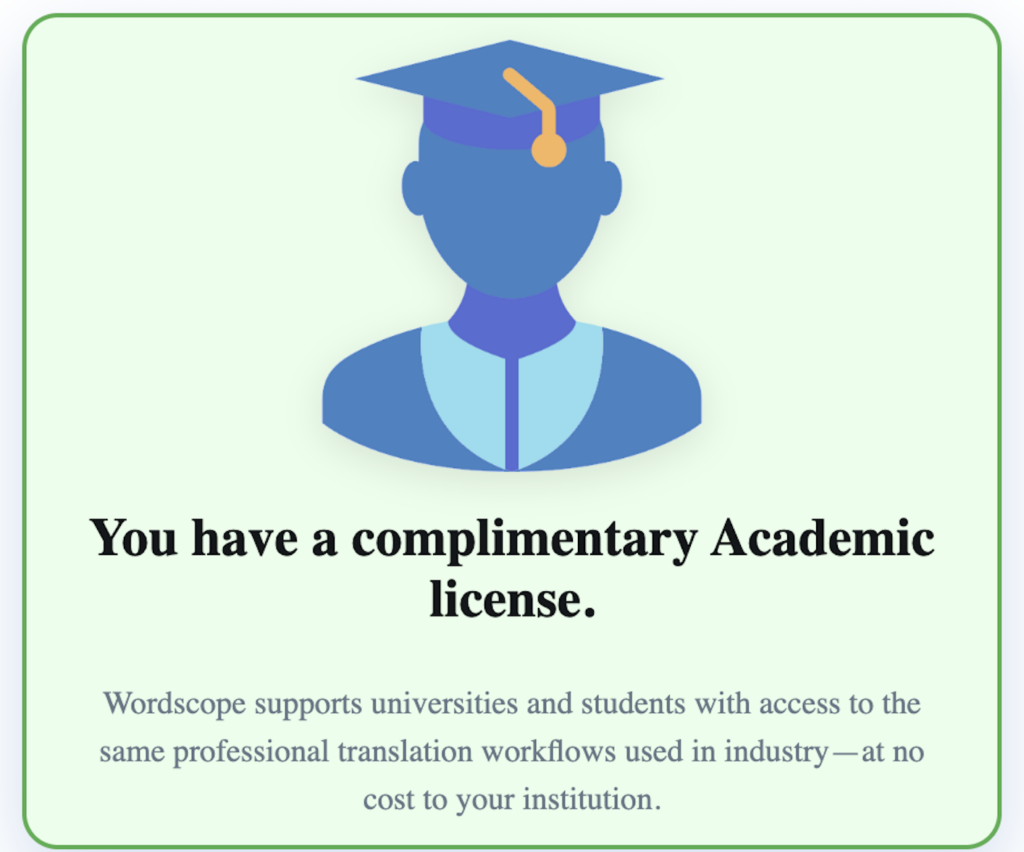
👉 Once your account is ready, you can check on this page that you have a free Academic account.
If you already have an account with that email address, please log in rather than creating a second account.
Path B — Start before your university is enrolled (15-day trial)
If your university is not yet enrolled in the Academic Program, you may still get started:
1️⃣ Please go to https://campus.wordscope.com.
2️⃣ Sign Up for a free 15-day student trial.
We would also encourage you to ask your professor or department to apply under the Universities tab on the subscription page, so that the whole class can benefit from free licences.
When your university has been approved and your email has been added to the list of students, your account may be upgraded automatically to free Silver or Gold academic access (no payment required).
Usage tab
The Usage tab is your personal dashboard for AI-assisted translation consumption during the current billing month (the “usage period” shown at the top of the page).
You will typically see:
- Current usage period — start and end dates of the month being measured (usually the calendar month).
- Words used — how many words you have consumed so far in that period.
- Your allowance — how many words are included in your licence for this period (for example, a monthly cap set by your university’s academic program).
- Progress bar — a visual summary of how much of your allowance you have used.
- Words still available — how many included words you have left before reaching your limit.
Word usage is counted when you use AI assistance features in Wordscope (machine translation, ChatGPT, and similar tools integrated in the editor)—not for every keystroke you type manually.
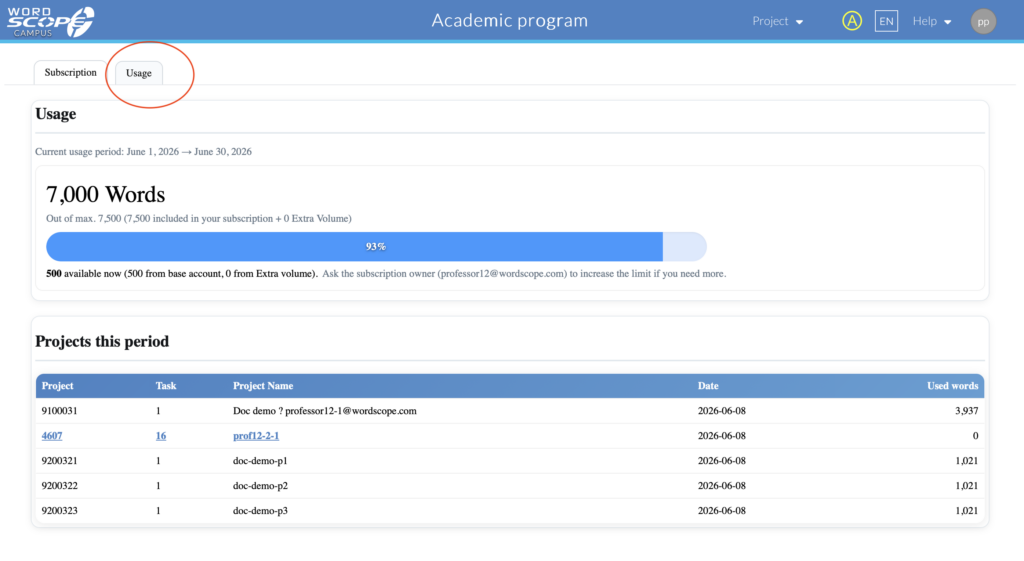
Usage card with period, word count, bar, and “available now” line
Projects this period
Below the summary, Projects this period lists your translation activity in detail:
| Column | Meaning |
|---|---|
| Project / Task | Links to the job you worked on (when available). |
| Project name | Name or reference for the assignment. |
| Date | When usage was recorded. |
| Used words | Words counted for that project in this period. |
This helps you see which assignments are using most of your allowance.
[Screenshot: Projects this period table with a few rows]
If you run out of words
When your included words for the month are used up:
- AI-assisted features may stop until the next usage period, or until your limit is raised.
- The page may show a notice asking you to contact the subscription owner—usually your professor or course coordinator.
What to do: contact your professor. They manage student licences and can see your usage on the roster. They may also contact academic@wordscope.com if your institution needs a higher seat limit.
What students do not see on Usage
- Extra volume, cost control, or billing options — these are for the professor (subscription owner) only.
- The full class roster — you only see your own usage and projects.
Quick tips
- Check Usage regularly during busy assignment weeks so you do not hit your cap unexpectedly.
- Heavy use of MT + AI on long documents consumes words faster than short exercises.
- Your allowance resets at the start of each new usage period (typically each month).
If your trial has ended and you are not yet on a roster
If your 15-day trial has expired and you have not yet been added to a professor’s roster, you will need your professor to apply on behalf of the institution, or to add you after approval. Campus will kindly prompt you to contact your teacher or to consult the Universities section for more information.
If you require access outside the academic program, you may also consider a personal subscription on https://pro.wordscope.com.
What you can do on Campus
Once you have access, you may:
- Create and work on translation projects in your browser.
- Use AI-assisted features included in the Gold/Education offering (within your quotas).
- Practise workflows similar to those used in the professional environment.
- Review your usage (words used in the current period) from your account or subscription areas, when available.
Student limits (summary)
| Item | Typical limit |
|---|---|
| Words per month | 7,500 |
| Words per project | 2,500 |
| Projects per month | 10 |
| Features | Same Gold-level toolset as your professor |
| Price | Free while you remain on an approved academic roster |
Your exact caps may also be shown on your Usage page; the number of seats for your class was set when your professor’s application was approved.
Tips for students
- Please always register with the email address your professor used on the roster.
- If you do not see the invitation, please check your spam or junk folder.
- If access is still not working after 24–48 hours, please kindly ask your professor to confirm that they saved the roster and entered your address correctly.
- Please use your own login; sharing accounts is not permitted.
Wordscope is an all-in-one CAT tool, working seamlessly on both Mac and PC, that combines multiple machine translation engines, over a dozen specialized terminology tools, and the robust assistance of ChatGPT for Translators. It provides professional translators with advanced functionalities for translation, definition, rewriting, and much more.
Try now! Log in or sign up to receive a free trial subscription!
Visit pro.wordscope.comTrusted by thousands of professional translators in 40+ countries
Visit pro.wordscope.com to create a translation project.