
How to create a Translation Memory
Ce contenu n’est pas encore disponible dans votre langue.
A Translation Memory (TM) is one of the most valuable assets a professional translator can build. In Wordscope, creating your own TM allows you to store every approved translation segment and reuse it automatically in future projects. This not only saves time but also ensures consistency, quality, and productivity across all your work.
How to create a Translation Memory in Wordscope
Setting up a TM in Wordscope is quick and straightforward:
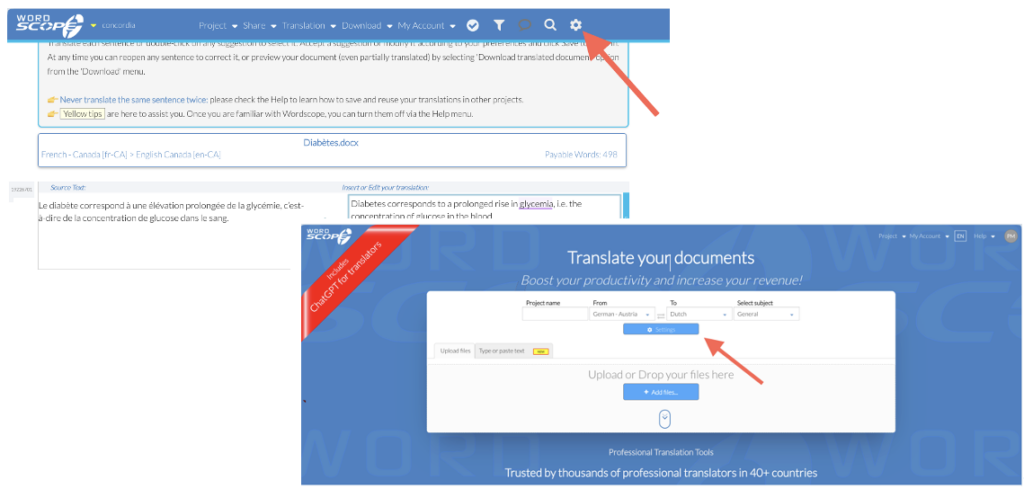
1️⃣ Open Settings
From the New Project page, click the Settings button, or click the Settings icon at any time during a project.
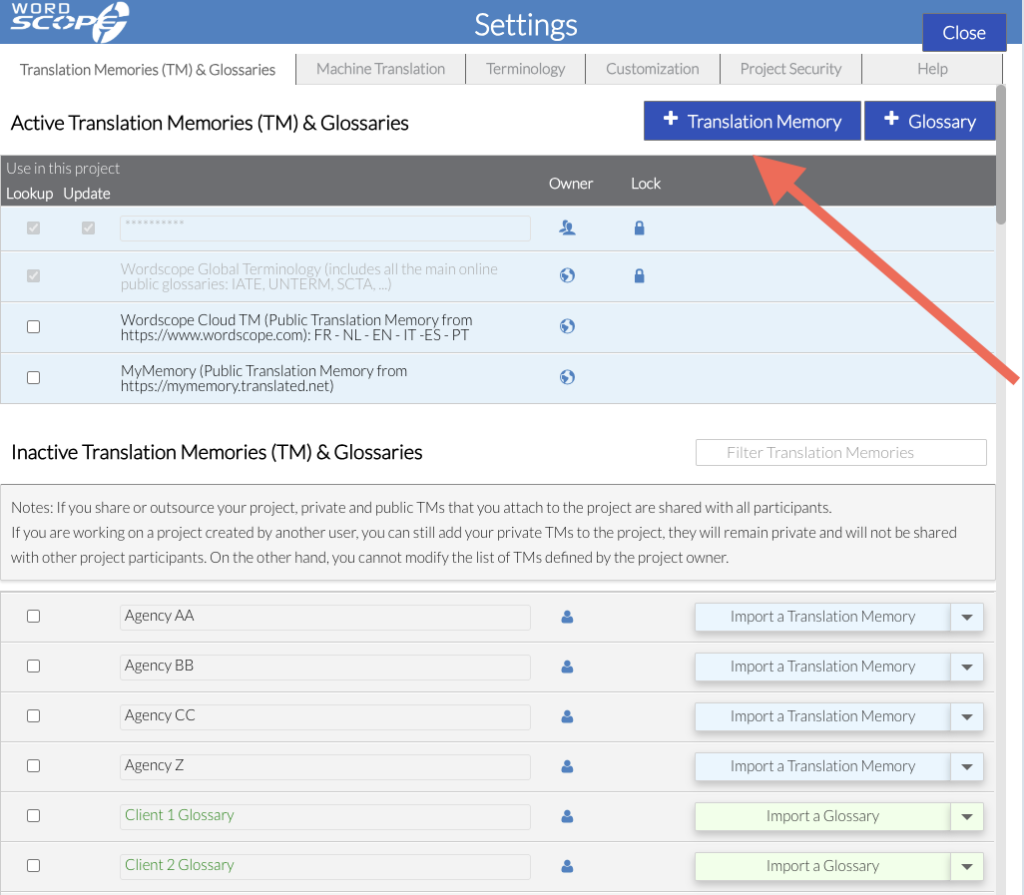
2️⃣ Click + Translation Memory
3️⃣ Enter a name for your Translation Memory
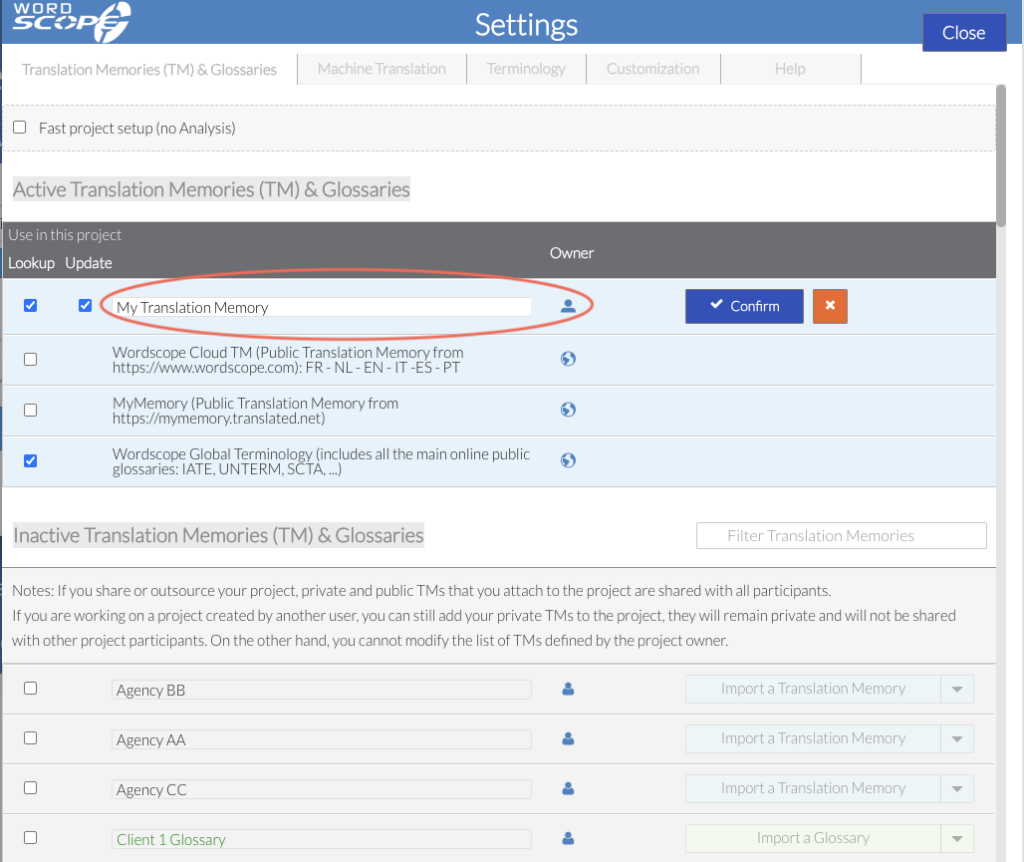
4️⃣ Click Confirm
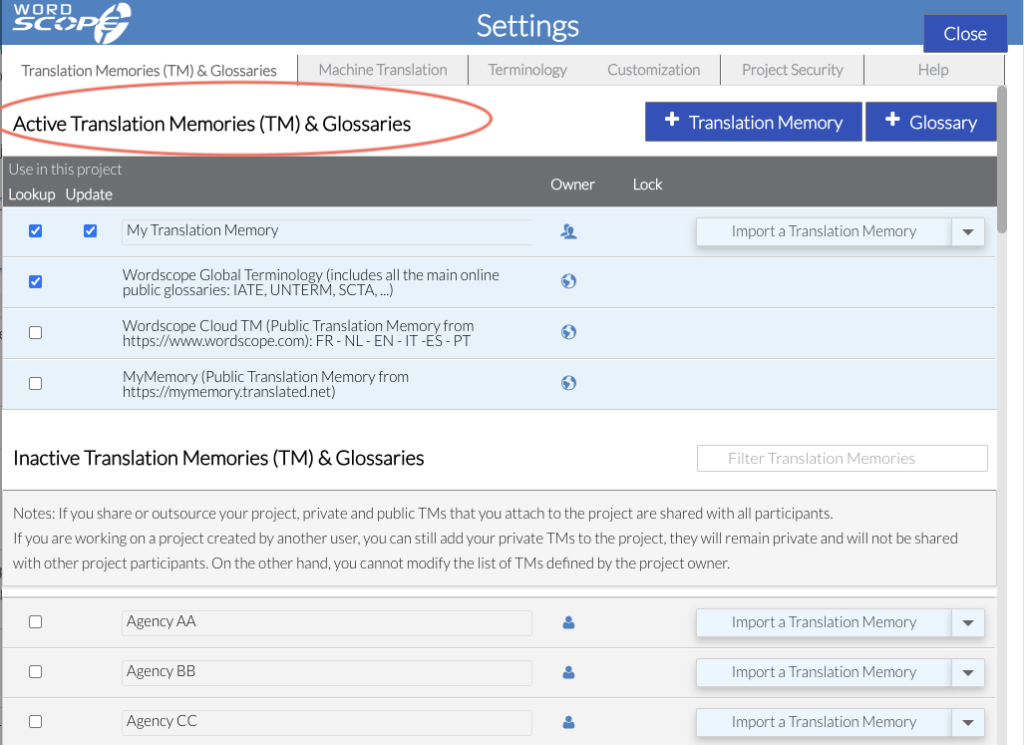
Your Translation Memory now appears in the Active Translation Memories and Glossaries section, which means it is active for the current project.
Activating or Deactivating Translation Memories
Deactivate a Translation Memory for the Current Project
If a Translation Memory is listed in the Active Translation Memories and Glossaries section and you do not want to use it for the current project, simply uncheck the Lookup and Update checkboxes.
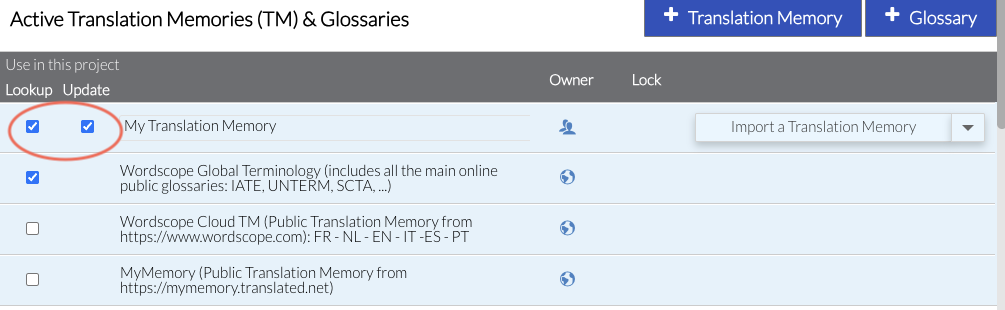
The Translation Memory will then be moved to the Inactive Translation Memories and Glossaries section.
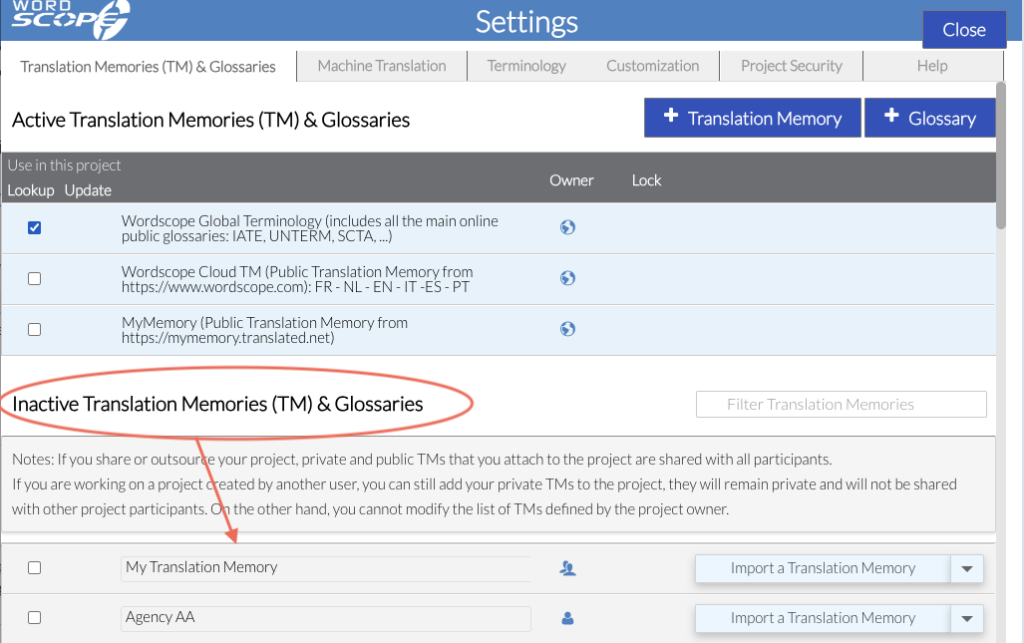
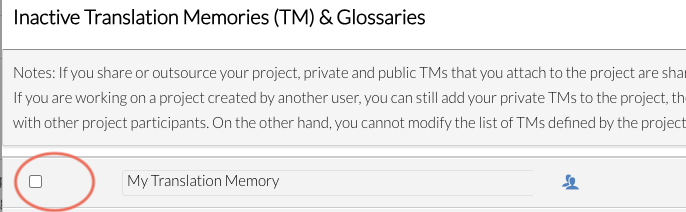
Activate a Translation Memory for the Current Project
If a Translation Memory appears in the Inactive section, select the checkbox next to it to activate it for the current project. It will then be moved to the Active section.
Best practices
To maximize the benefits of your TM:
- Create separate TMs for different clients or domains
- Keep entries clean and validated
- Combine TMs with glossaries for terminology control
- Reuse high-quality TMs across similar projects
Wordscope est un outil de TAO tout-en-un, disponible sur Mac et PC, qui combine plusieurs moteurs de traduction automatique, différentes bases de données terminologiques et l'assistance de ChatGPT. Il offre aux traducteurs professionnels des fonctionnalités avancées pour la traduction, la définition, la réécriture et bien plus encore.
Essayez-le maintenant ! Connectez-vous ou inscrivez-vous pour recevoir un abonnement Bronze gratuit !
Visit pro.wordscope.com to create a translation project.